
All the features of Sky Ordering System
From the moment the customer sits down to the month's finances. Everything is included in the package – there are no «extra modules» paid separately.
Floor / Orders
The whole store at a glance
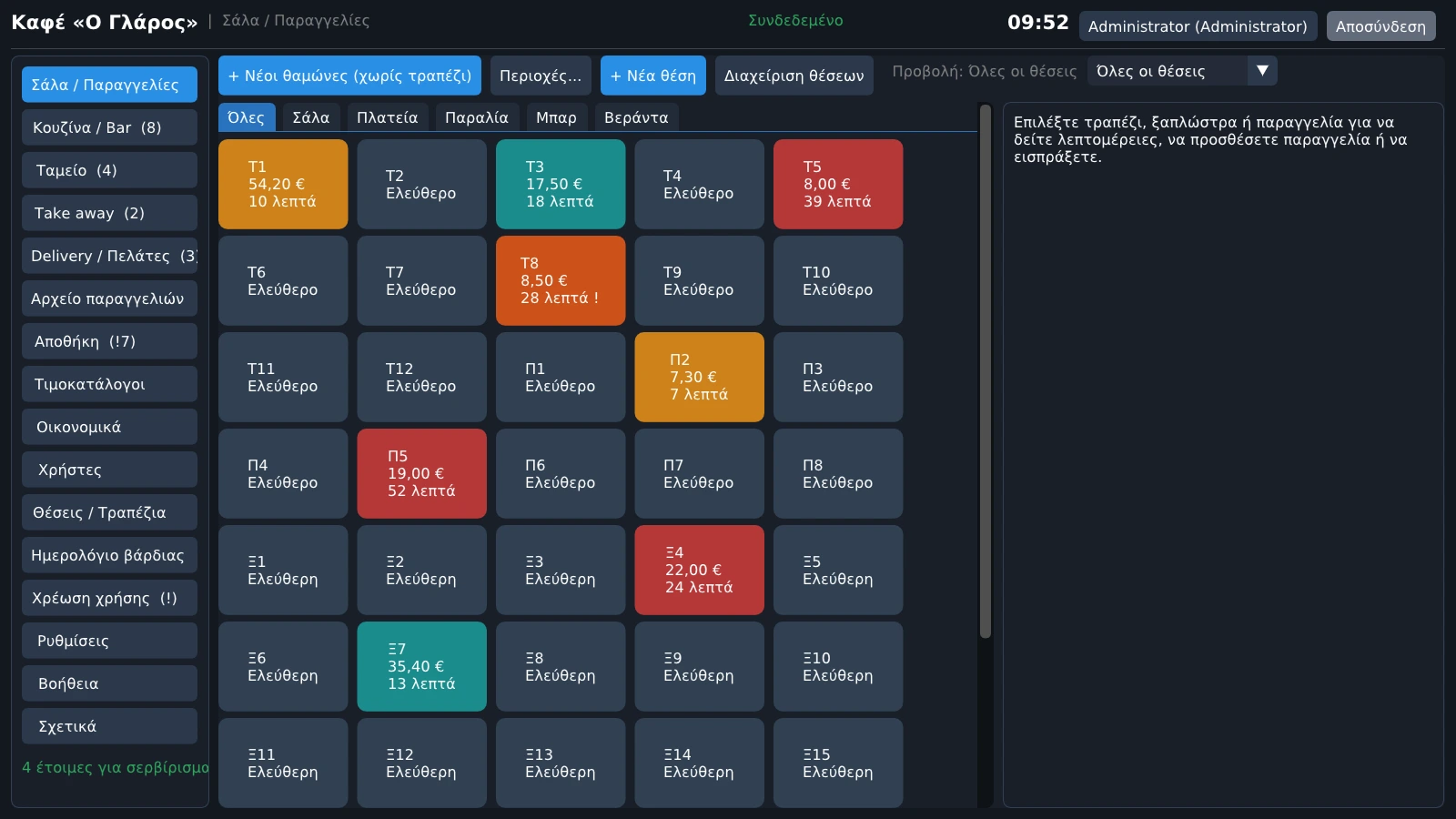
Tables, sunbeds and seats at the bar and the pool appear as buttons, grouped into areas (Floor, Square, Beach, Bar …). The colour shows the status and the number the time since ordering.
- Areas and places added by the manager directly from the floor
- Warning for orders that are running late
- Guests without a table, take away and delivery from the top of the floor screen
- Bill for the whole table and printing directly from the floor
New order
An order in a few seconds
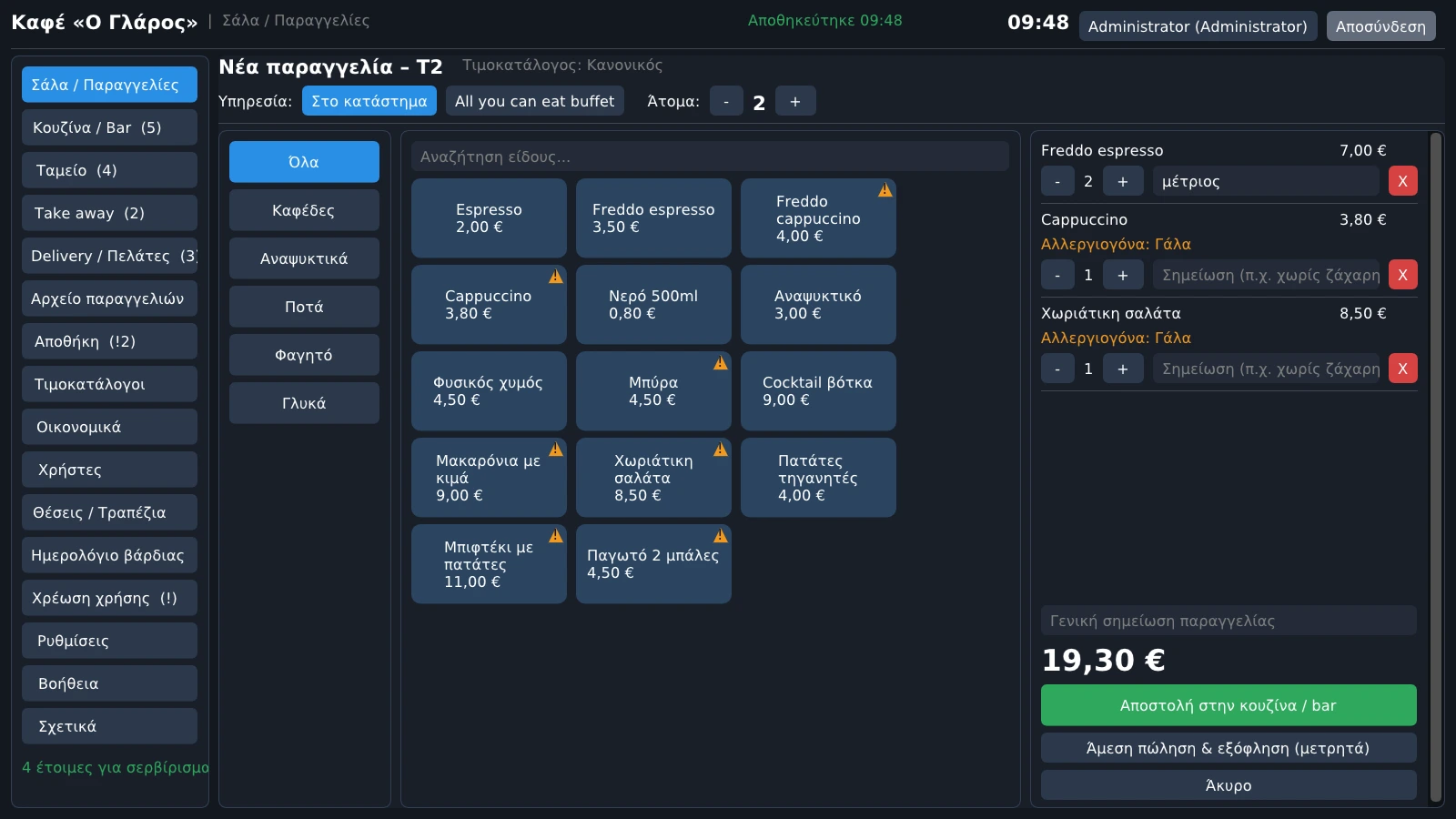
Categories, items and quantities with large buttons for touch screens. A note per item («no sugar», «well done»), number of guests and search.
- Price from the waiter's active price list
- All-you-can-eat buffet: «per person» items are multiplied automatically
- Direct sale with payment in the same step
- Statuses: pending, open, completed, treat, waste, void
Kitchen / Bar
The kitchen knows what to prepare and in what order
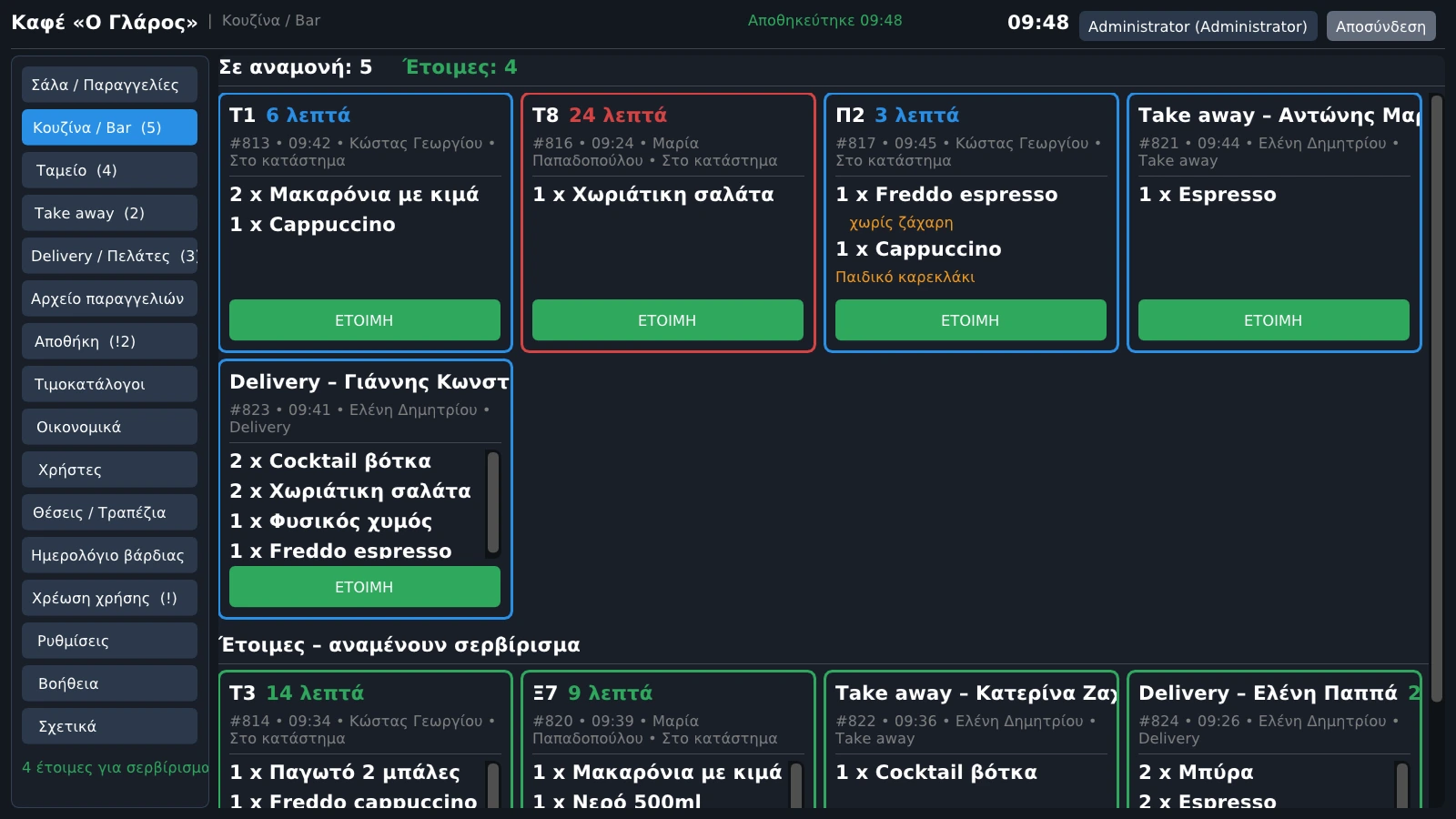
The preparation screen shows each order with its waiting time. With one tap on «READY» the waiter sees it on the floor, on the tablet or on the phone.
- Separate kitchen and bar slips from the same order
- Waste: automatically sent again for preparation
- Average preparation and serving times in Finances
Till
Payments without mistakes
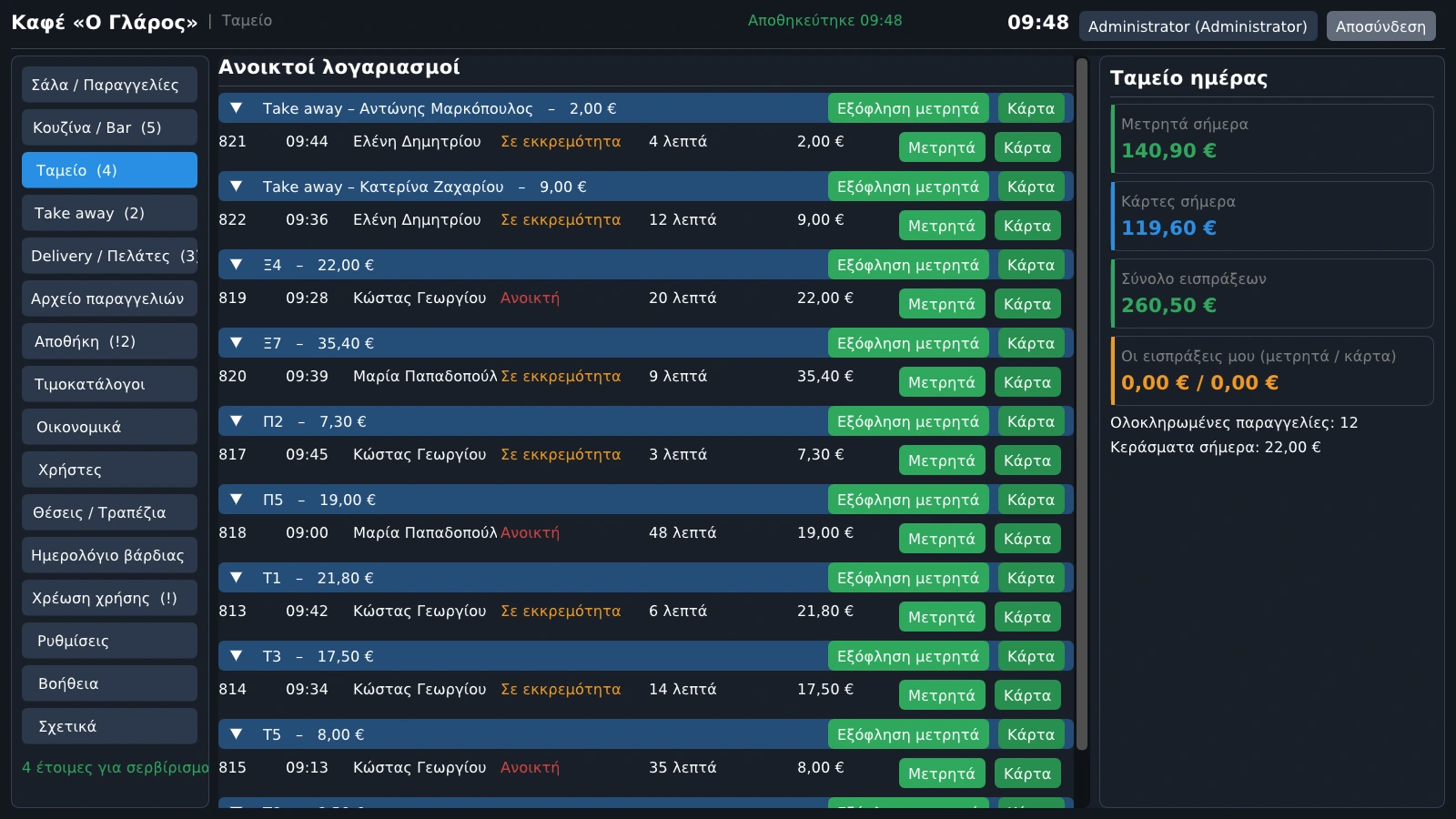
All open bills in one list, with the waiter and the time. Payment by cash or card, treats with manager permission, daily till by payment method.
- Bill per order or for the whole table
- Treats and waste recorded in the log
- Daily till: cash, cards, treats
Delivery & Caller ID
The customer calls – their record is already open
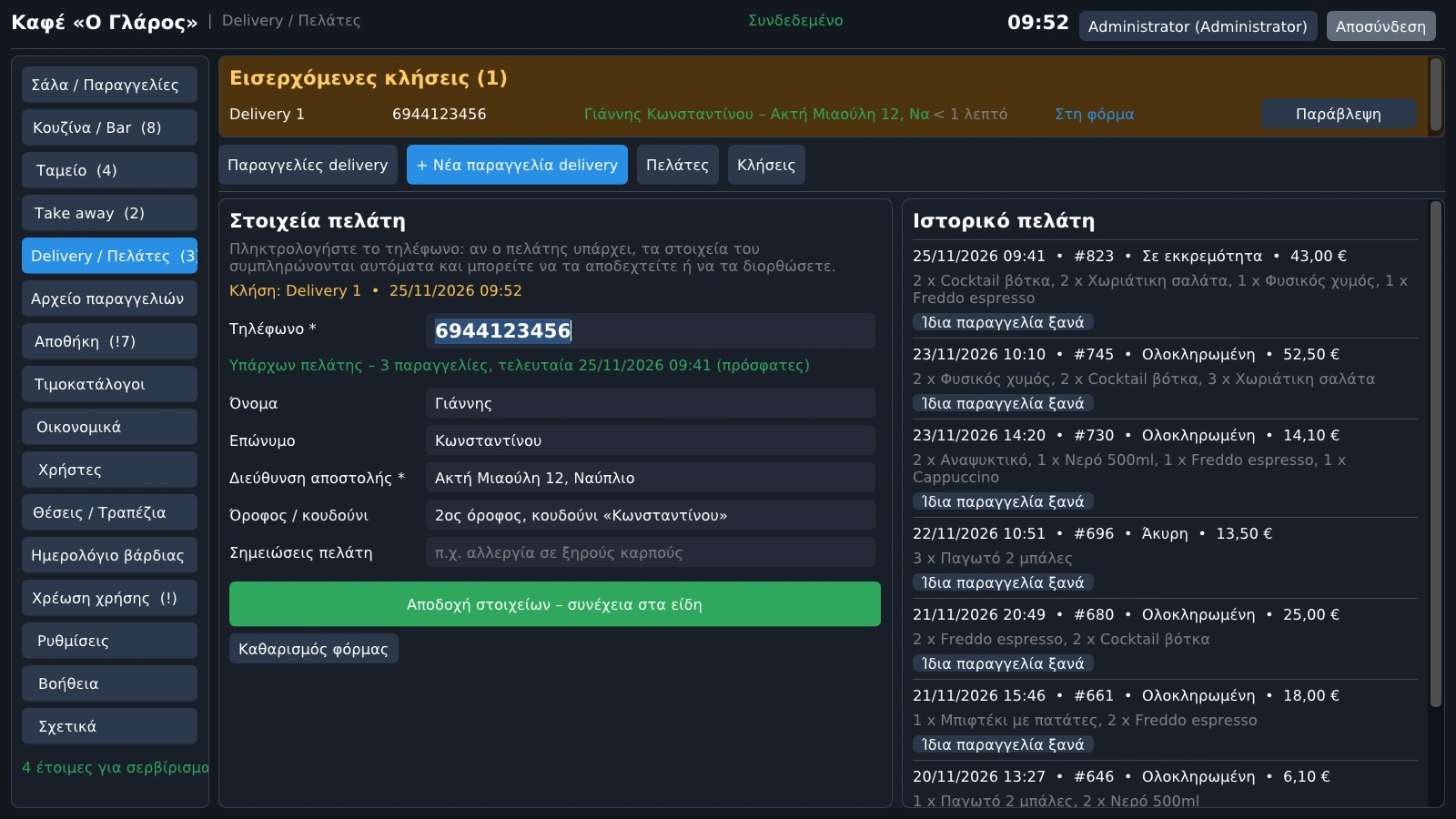
With simple USB modems (one per line), the program recognises the caller's number (up to 24 lines) and instantly opens the delivery record with name, address, doorbell and their previous orders. With several delivery terminals, calls are shared automatically.
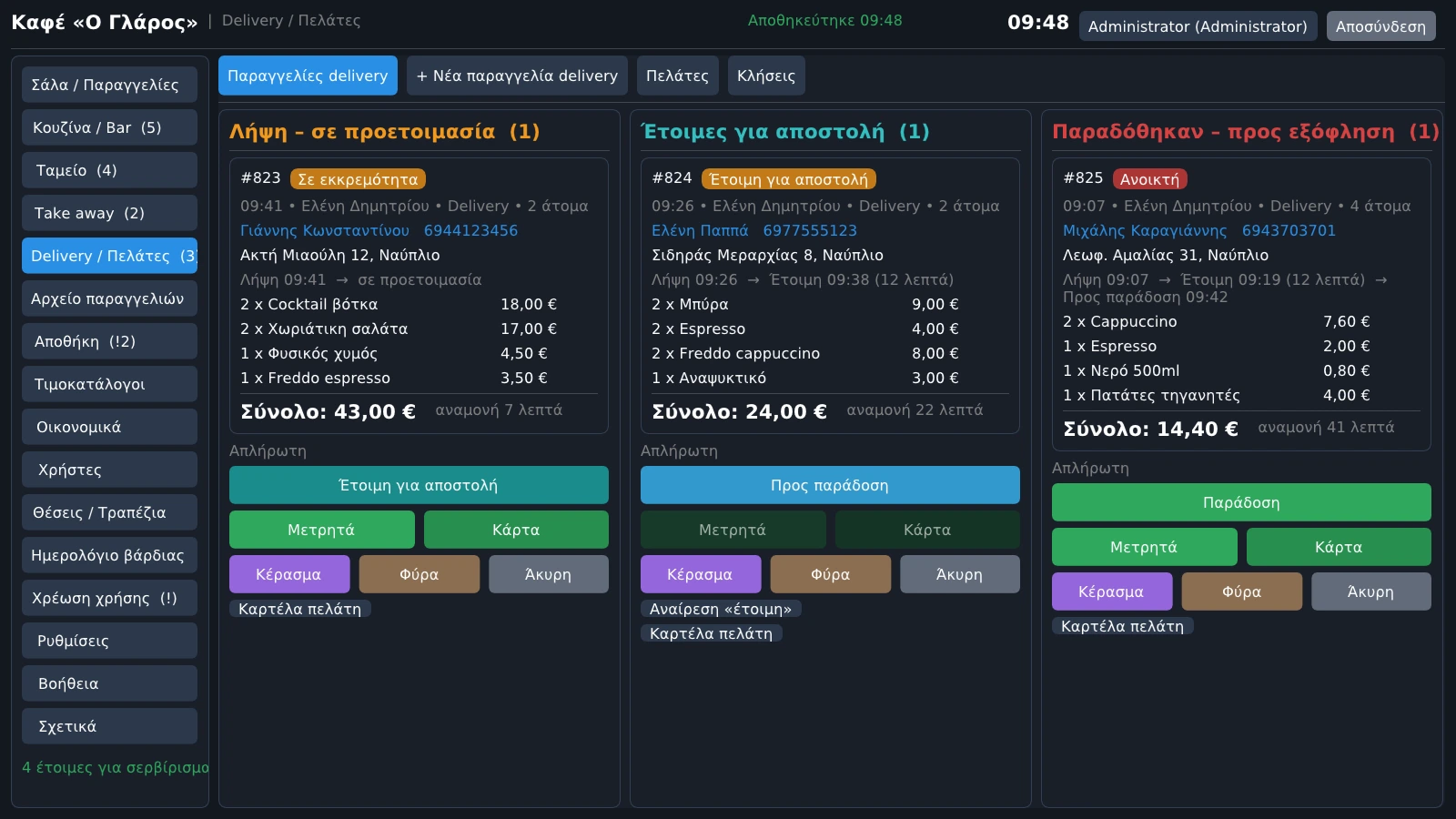
- Stages: in preparation → ready to dispatch → out for delivery → delivered
- Payment at any stage, manager approval for cancellations after dispatch
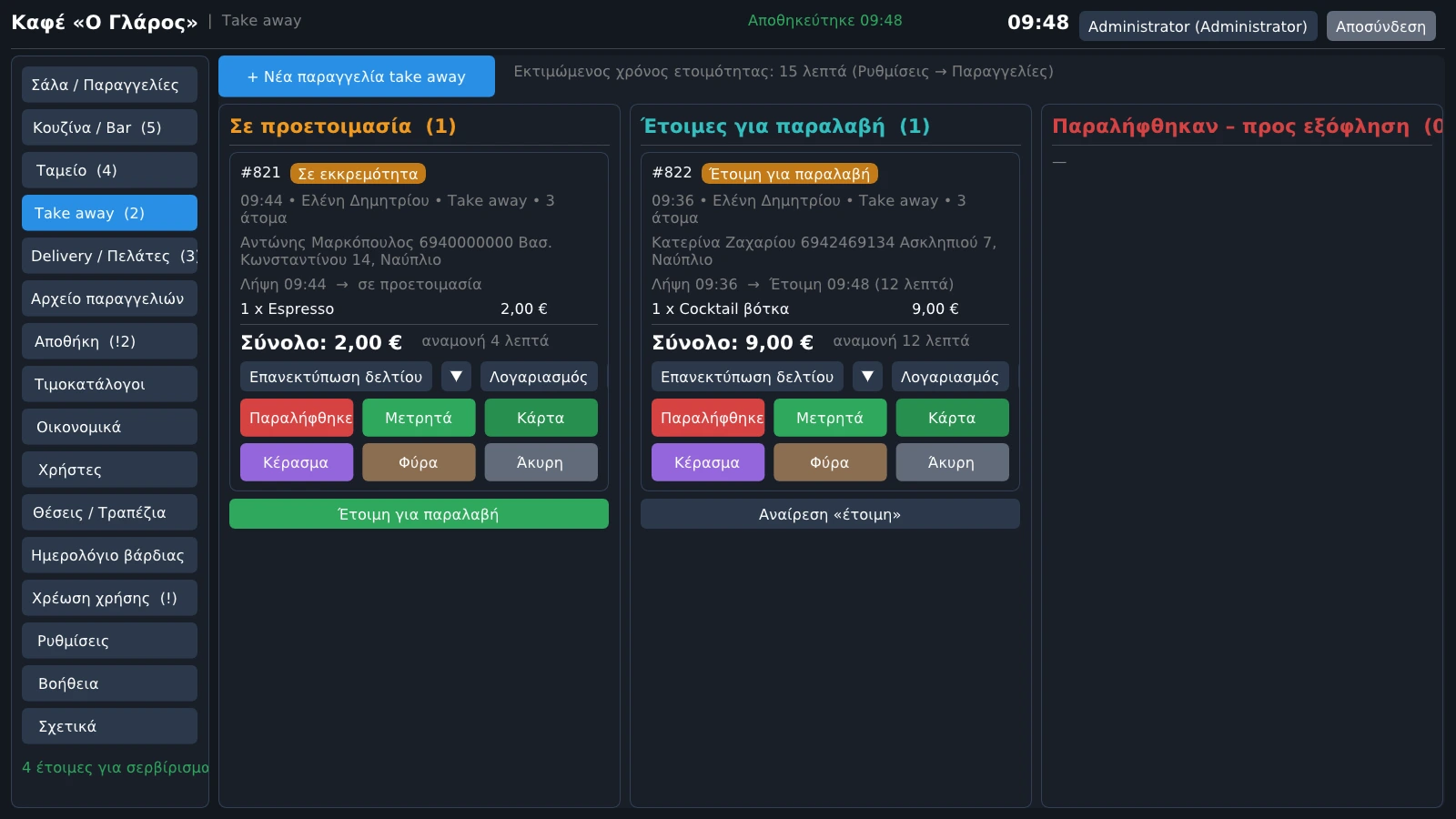
- Take away with its own screen and pickup time
- Customer list with history and search
Stock
Always know what you have and what it costs you
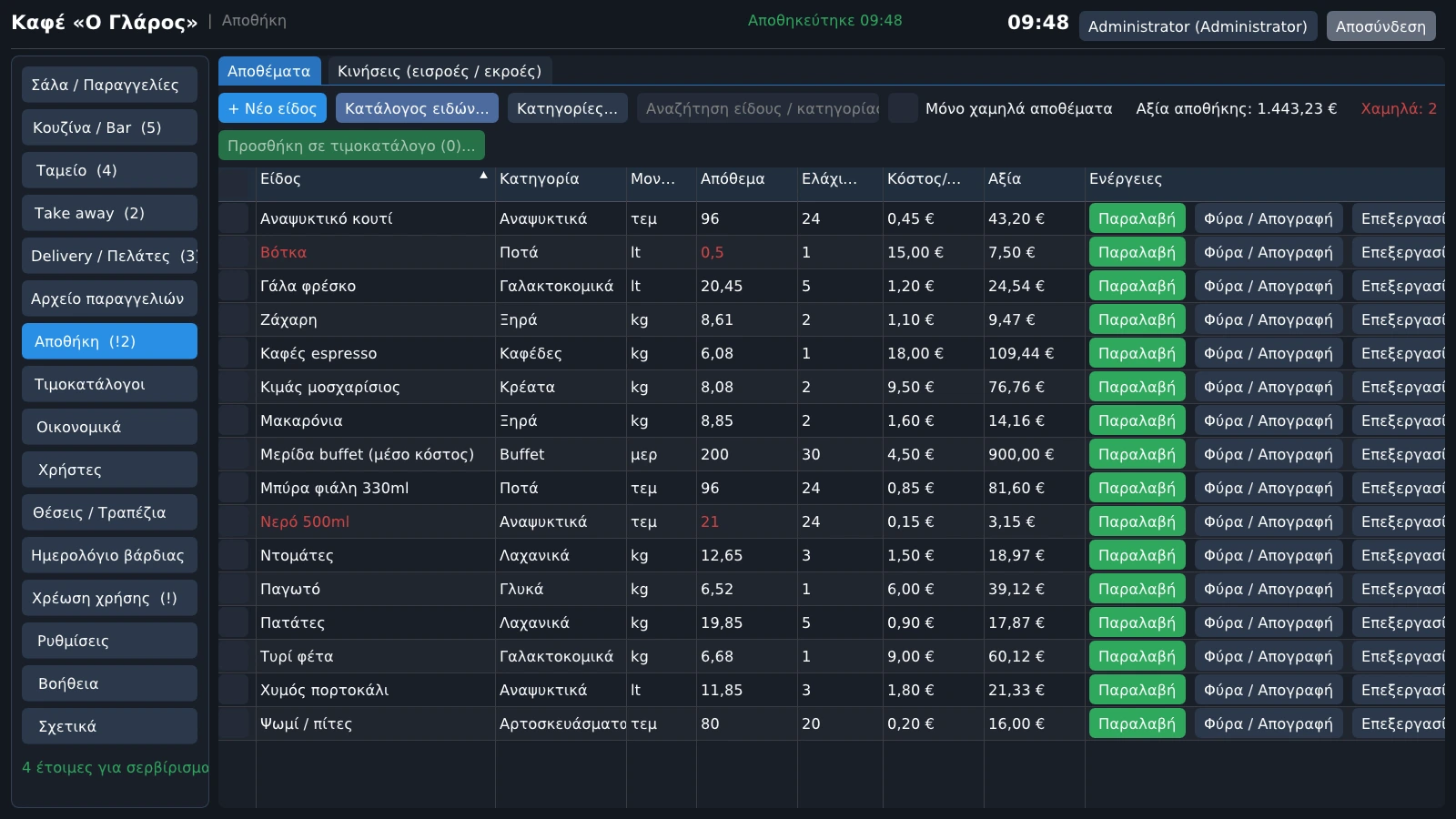
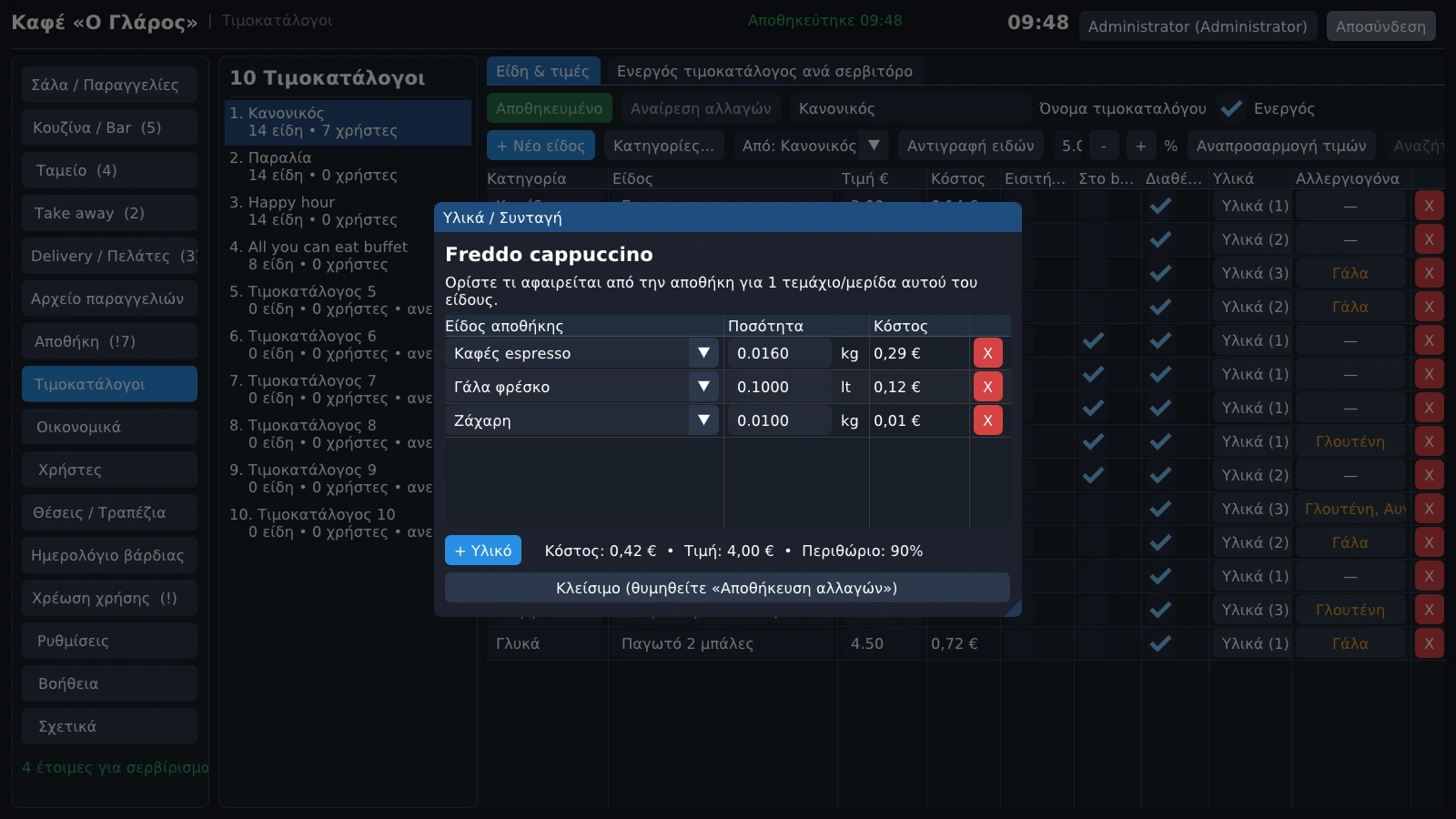
For each item on the price list you define its ingredients (e.g. Freddo = 16 g coffee + 10 g sugar). With every serving, payment, treat or waste the ingredients are deducted automatically; a cancellation returns them.
- Receipts with weighted average cost
- Waste and stocktake with counting
- Movements with filters and export to Excel (CSV)
- Alert for items below minimum stock
Item catalogue
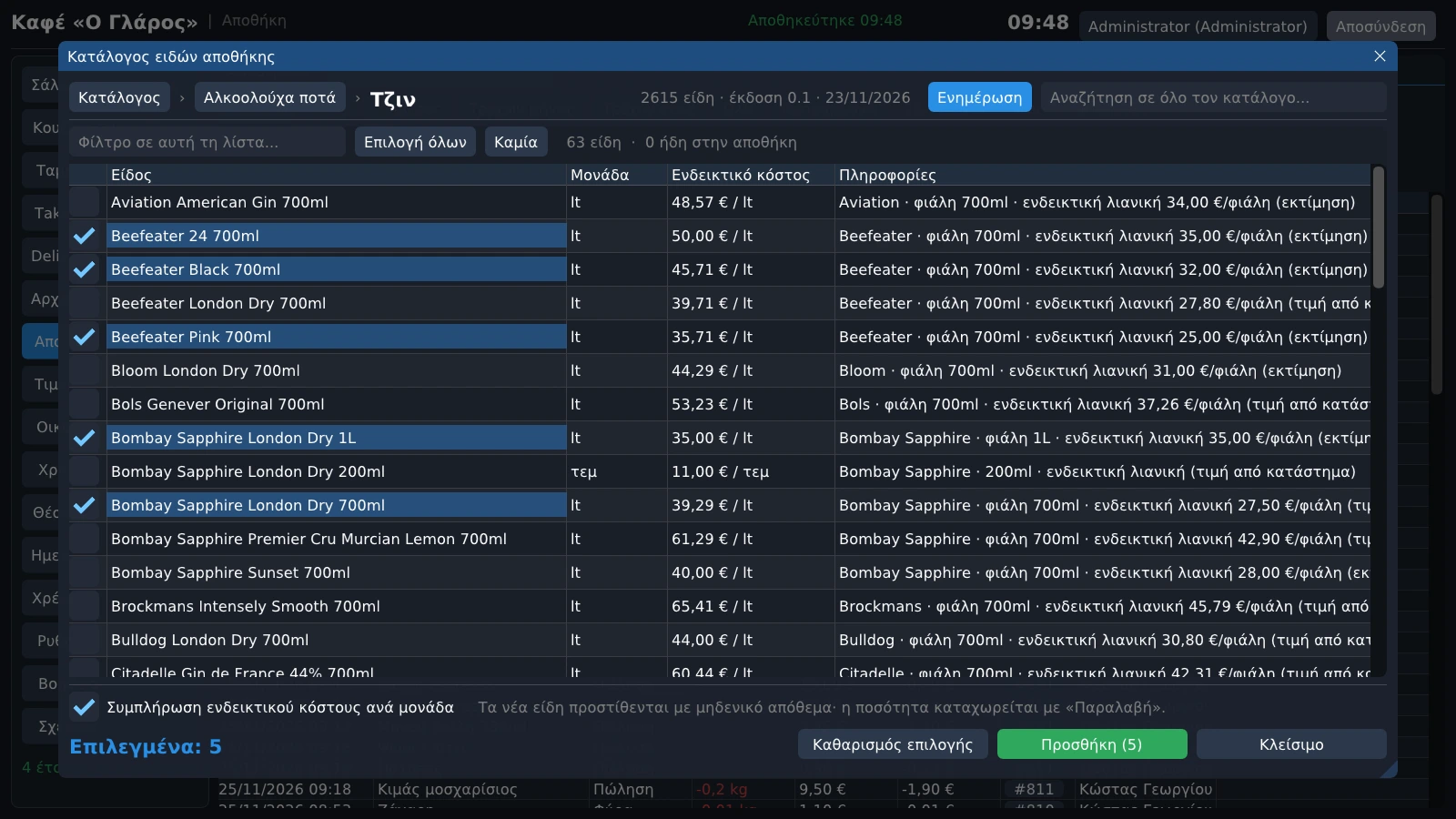
~2,600 ready-made items – you type nothing
A built-in catalogue of spirits, wines, beers, soft drinks, waters, coffees, hot drinks and dishes for restaurants, grill houses and snack bars, with unit and indicative cost. Tick what you sell and press «Add».
- Search the whole catalogue
- Items already in stock appear greyed out
- The catalogue is updated from the Internet with the «Update» button
Price lists
10 price lists for every occasion
Different prices for the beach, happy hour or the pool. The manager sets which price list applies to each waiter and the prices go into the order automatically.
- Copy a price list and change prices in bulk by %
- Recipes (ingredients) per item
- Per-person items for buffets
Finances
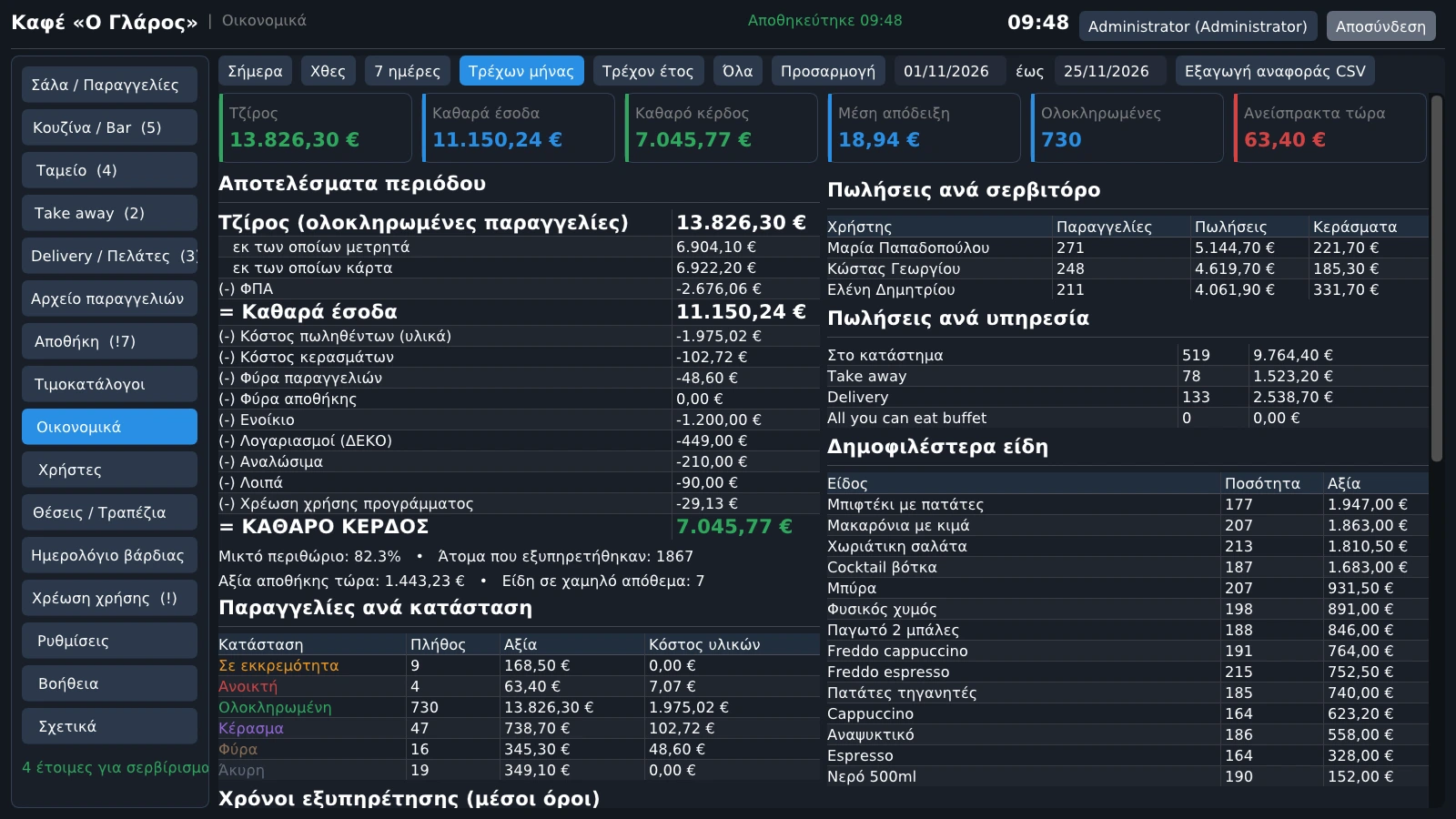
Your store's numbers, without Excel
For any period: turnover, cash and cards, VAT, ingredient cost, treats, waste, payroll, expenses, usage fee and net profit.
- Sales per waiter, per service and per hour
- Most popular items
- Average service times
- Report export to CSV for your accountant
Users & roles
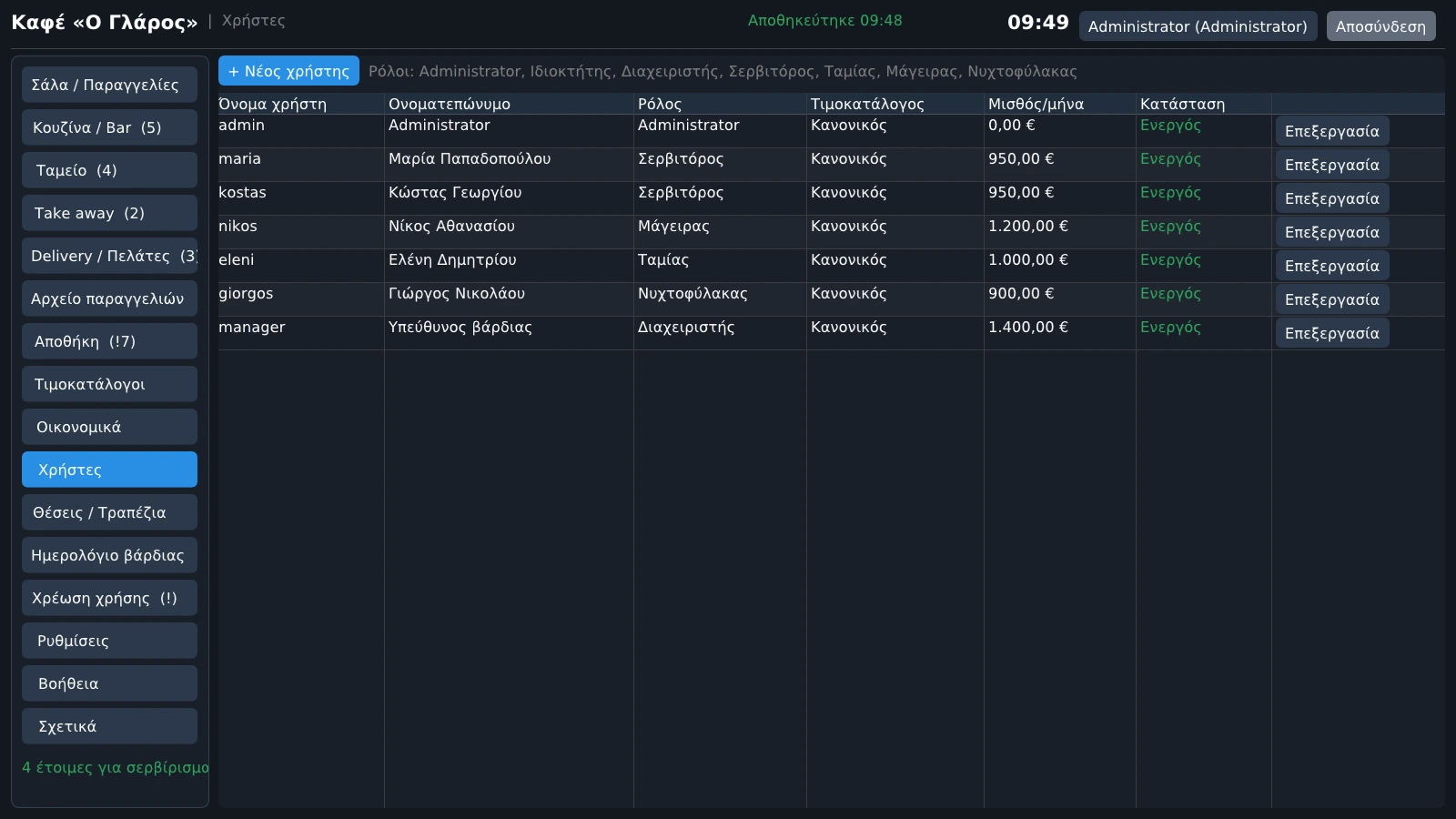
Everyone sees what they need
Administrator, Owner, Manager, Cashier, Waiter, Cook, Night guard: each role has its own permissions, which you can adjust. Sign-in with a PIN.
- Shift log with every action
- Salaries and monthly payroll with one button
- Permissions per role in Settings
Printers
Every slip on the right printer
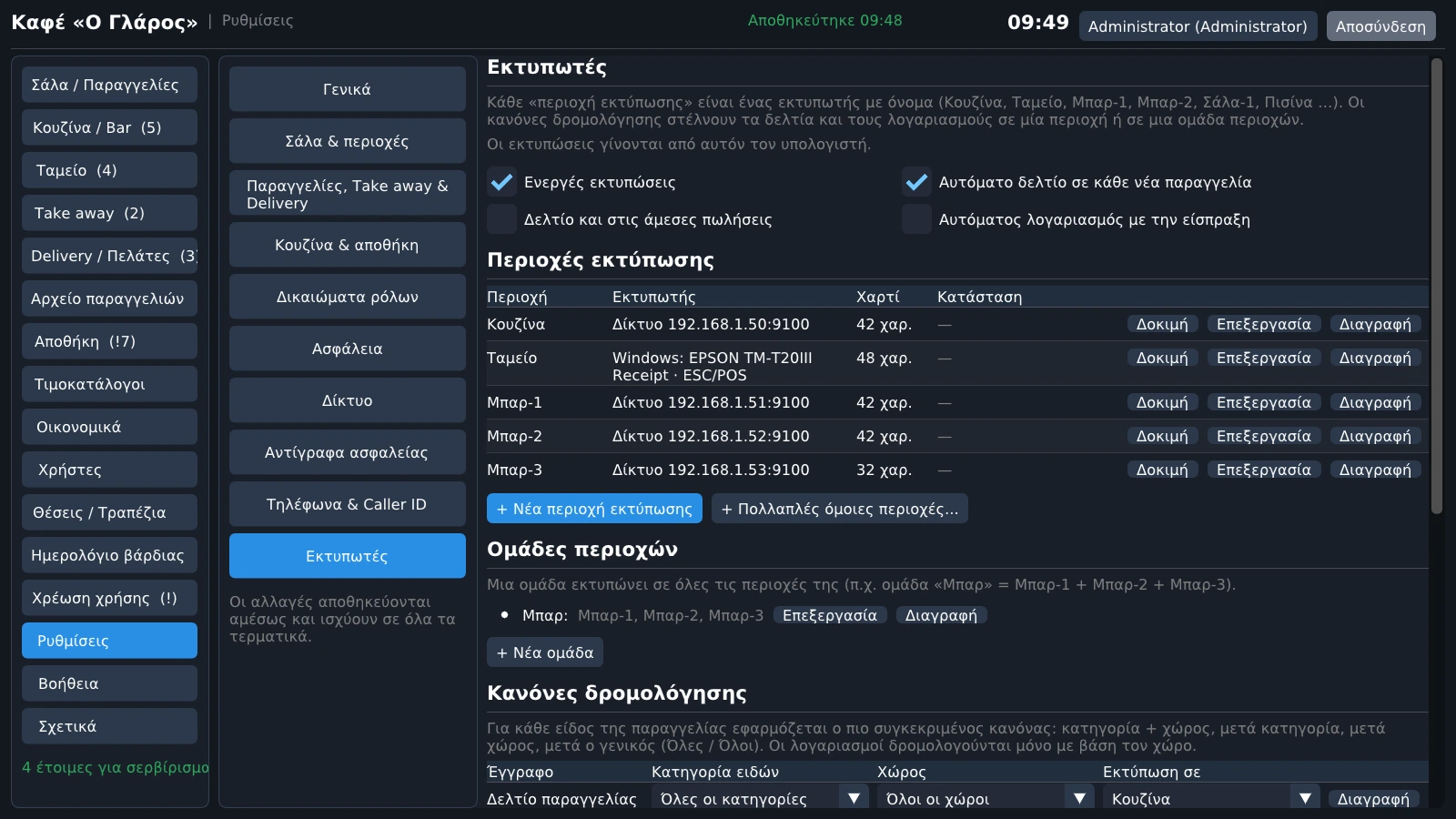
Print areas (Kitchen, Till, Bar-1, Bar-2, Pool …) with network thermal printers (IP) or Windows printers. Rules per item category and location decide where each slip prints.
- Greek, Latin and Cyrillic text on 58 and 80 mm ESC/POS printers
- Printer groups (e.g. all the bars together)
- Automatic slips for every new order, bills, reprints
- Automatic retry when a printer does not respond
Network & server
From one computer to 100 terminals
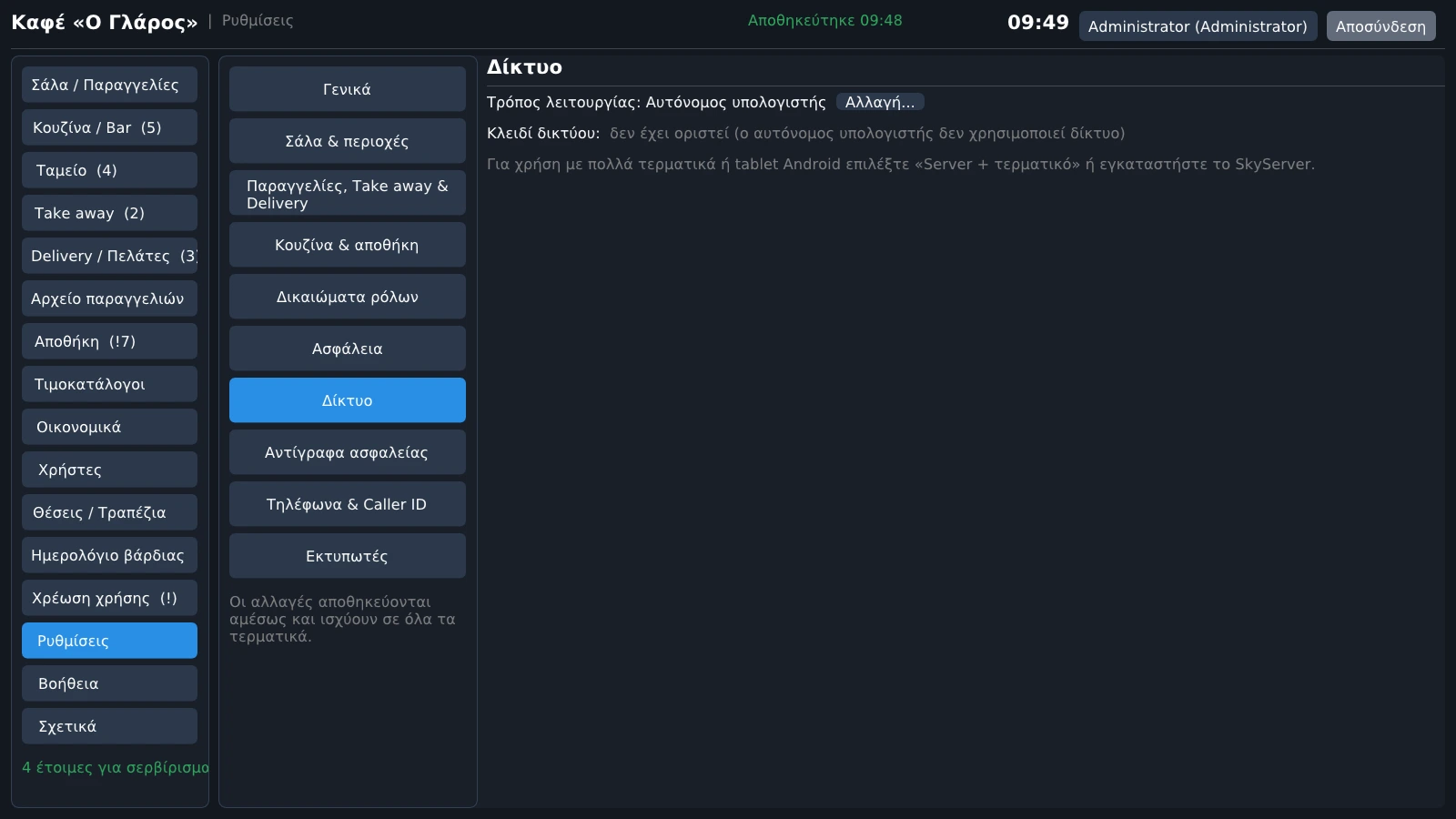
Start with one computer. When you need more tills or tablets, one of them becomes the server (or you install the server as a Windows service) and the rest connect automatically. Everyone sees changes instantly.
- Automatic server search on the local network
- Encrypted communication with a network key
- Offline orders sent automatically as soon as the connection returns
- List of connected terminals in Settings
- 12 languages for the program and the Android apps, chosen during installation and in Settings
Security & backups
Nothing gets lost
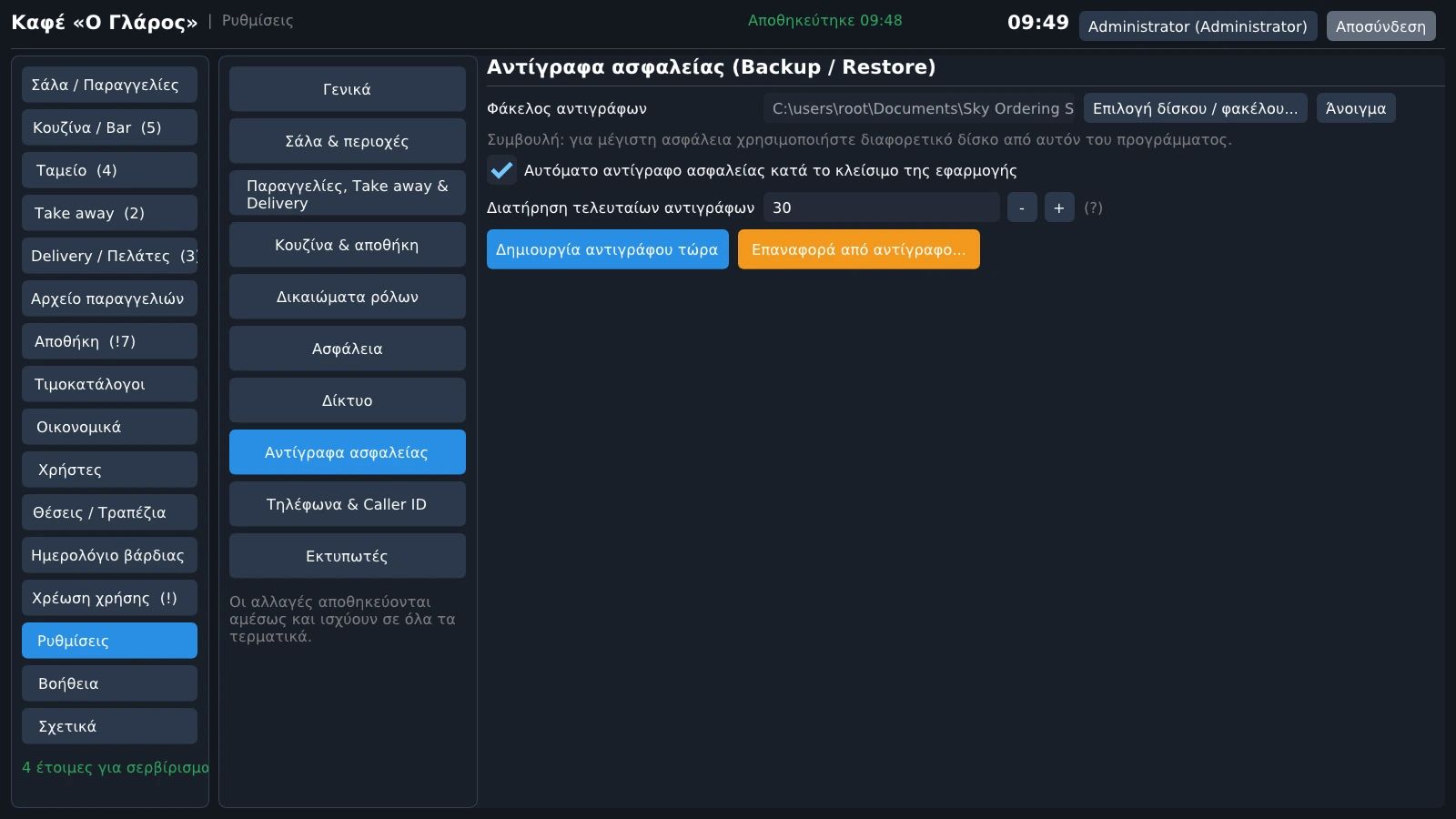
Data is saved encrypted (AES-256-GCM) shortly after every change. On closing, a backup is created automatically, even on another drive or USB.
- Restore from a backup with one button (it also keeps the current state)
- Passwords checked only on the server
- Updates and catalogue with a digital signature
Try it in your store – 90 days free
The whole package, no limitations, no sign-up and no card. If it does not suit you, you uninstall it and owe nothing.